

Shared Holiday Home Admin Calendar Template
A shared holiday home admin calendar should show what recurring non-booking event is coming, which current source sets the real date, when preparation must begin, who owns the work, who provides backup, and what evidence will prove completion. It should not invent universal renewal, payment, filing, safety, insurance, tax, or service dates.
Use the service account register template to identify the real provider source, named party, authorised route, and immediate change triggers before adding a service review, renewal, notice, or closure event here.
When that calendar event opens, use the service renewal review checklist for the current notice, service need, issue history, changed facts, authority route and decision handoff. The calendar owns source-derived dates and preparation prompts; the review owns the dated pre-decision evidence.
Use the template below for a private holiday home already shared by family members, friends, siblings, trustees, or another small co-owner group. Build every live entry from the property's actual policy, contract, provider notice, governing document, authority, approved group rule, or qualified advice. The calendar coordinates that source; it does not replace or interpret it.
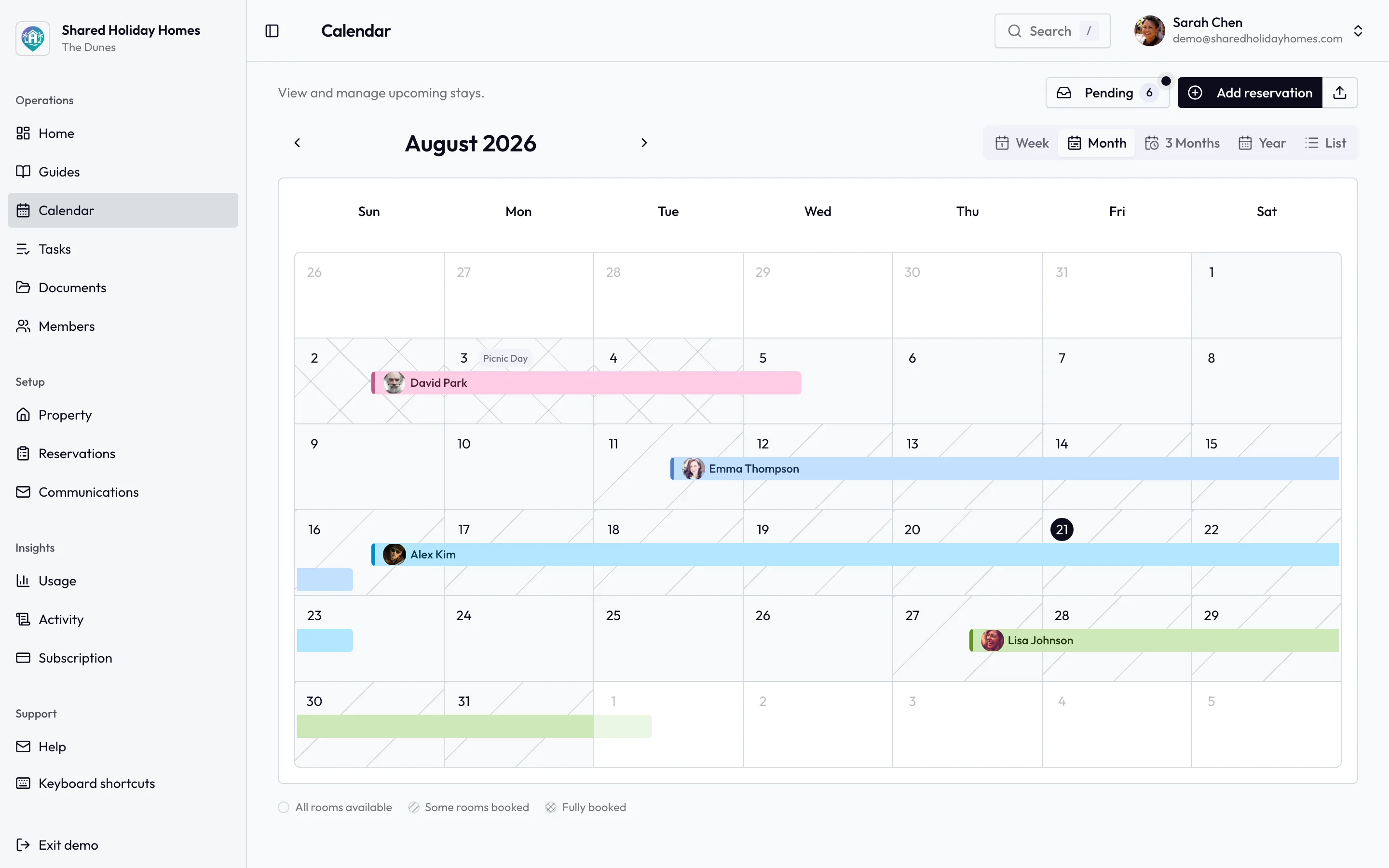
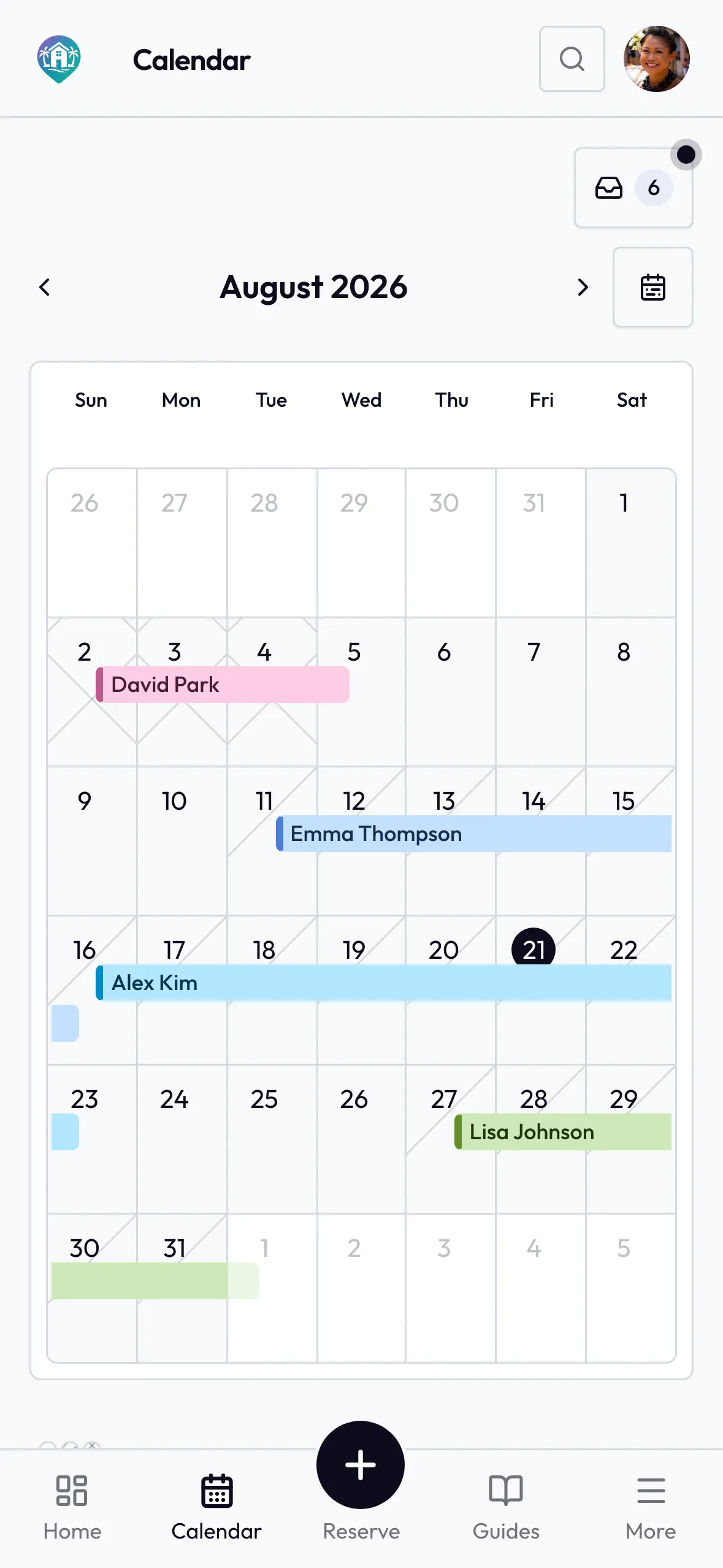
Admin dates belong on the same calendar as stays: insurance renewals, services, and anything else that blocks or prepares the house.
Copy This Admin Calendar Template
Give each event a stable ID such as ADMIN-01. Keep the source date and the preparation start as separate fields. A reminder saying “insurance” is not enough to tell the group which document applies, what action is due, or whether the work was completed.
| Calendar field | What to record | Completion test | Keep elsewhere |
|---|---|---|---|
| Event ID and outcome | Stable ID, plain-language title, property or record scope, and the exact outcome required | A co-owner can explain what will be different when the event is closed | Long instructions, private discussion, and unrelated tasks |
| Authoritative source | Current policy, contract, provider notice, governing document, official source, approved rule, or adviser reference | The authorised reviewer can open the exact current source | A copied summary presented as if it were the source |
| Source date and timezone | Real due, renewal, review, notice, appointment, or decision date plus relevant timezone or local-date rule | The date matches the current source and property context | A guessed annual recurrence or last year's date |
| Preparation start | Internal start date, required inputs, dependencies, review route, and safe contingency | The group has enough time for its real evidence and approval process | A generic lead time treated as professional guidance |
| Owner and backup | One accountable coordinator, named backup, approver or decision route, and escalation contact | Both people have accepted the role and know its limits | Authority that the people do not actually hold |
| Reminders and status | Preparation reminder, check-in, final source-based prompt, current status, blocker, and next action | A reminder leads to a visible task instead of disappearing when dismissed | A false claim that a reminder proves submission, payment, cover, or compliance |
| Completion evidence | Issued document, provider confirmation, approved record, receipt reference, inspection report, decision ID, or other appropriate proof | The evidence matches the outcome, period, property, source, and authorised audience | Passwords, full payment details, identity records, or sensitive attachments in a broad calendar |
| Next date and change triggers | Next source-derived date plus events that require an earlier review or replacement | A changed source cannot leave an obsolete recurrence silently active | An unsupported “repeat yearly” rule |
A copyable row can use this order:
Event ID and outcome:
Property or record scope:
Current authoritative source and source owner:
Source date, timezone, and date verified:
Preparation start, inputs, and dependencies:
Coordinator, backup, and approval route:
Reminder dates, status, blocker, and next action:
Completion evidence and restricted storage location:
Next source-derived date:
Immediate change triggers:
Recommended statuses are planned, preparing, waiting for evidence, waiting for approval, ready, completed and verified, blocked, replaced, and cancelled at source. Do not use “done” when the only evidence is a dismissed notification, sent message, draft form, quoted price, or task tick.
For an already-approved service transition, use the service provider change handover checklist to reconcile the outgoing and incoming sources, access, readings, documents, payment states and exceptions. Keep only the source-derived preparation, appointment and review dates here.
Keep Five Different Records Separate
An admin calendar becomes unreliable when it tries to be the whole operating system. Give each record one job and link them with stable references.
- Booking calendar: who is using the home and when, including approved maintenance blocks. It does not hold every provider renewal, document review, or contribution-preparation date.
- Admin calendar: when recurring non-booking preparation, review, renewal, contribution, information, or provider coordination must happen.
- Task record: the detailed work, assignee, due date, status, and definition of done created from a calendar event.
- Document register: which file is current, where it lives, who may see it, and what expiry or change trigger applies. Use the shared holiday home document register for this control layer.
- Decision or financial record: the approved rule, amount, allocation, authority, and audit trail. Use the decision log template and annual budget template instead of making the calendar decide them.
The calendar can link ADMIN-04 to document INS-002, task TASK-128, and decision DEC-031. It should not copy the full policy, confidential advice, account credentials, bank details, or every task comment into the event.
Build the Calendar From Sources, Not Memory
Start with records the group already has. Do not begin by downloading a generic annual deadline list and assigning every item to the property.
1. List the operating sources
Review current materials in categories that genuinely apply:
- governing or group documents that set meetings, approvals, notices, reviews, or contribution processes;
- insurer, lender, building, association, utility, provider, warranty, equipment, and service sources;
- current authority or qualified-adviser sources for property-specific legal, tax, licensing, safety, employment, trust, entity, or local-use obligations;
- the document register, approved contact directory, property information, and guest information that need source-triggered review;
- the annual budget, reserve plan, approved expense policy, and payment evidence that set internal preparation work; and
- the group's annual review agenda, booking-rule review, and other approved operating checkpoints.
The presence of a category does not prove an obligation. For example, an insurer may issue a renewal document, a service provider may state an appointment window, or an adviser may identify a filing date. The calendar should quote the relevant date reference and point to that source, not infer a universal deadline from the category name.
2. Verify the current source and period
For each proposed event, confirm:
- the exact property, person, entity, policy, service, document, or decision it covers;
- the source version, issue date, effective period, and authorised audience;
- whether the date is fixed, conditional, estimated, provider-controlled, or still awaiting confirmation;
- which timezone, business-day convention, local date, notice rule, or appointment window the source actually uses; and
- which person is allowed to verify or act on it.
If the source is missing, mark the row waiting for evidence and assign retrieval. Do not turn a remembered date into a confident recurrence.
3. Set the preparation start backwards from real work
The preparation start is an internal coordination choice, not a substitute deadline. Determine it from the work actually needed: collecting a current statement, obtaining an approved scope, arranging access, receiving a provider response, reviewing a document, holding a valid vote, obtaining signatures, checking payment authority, or allowing for a named backup.
Avoid a universal rule such as “start every renewal 30 days early.” One event may need a longer authorised process; another may not permit action until a source is issued. Record why the chosen start date is reasonable for that row and revisit it after a real cycle.
4. Give the event an owner without inventing authority
Use the roles and responsibilities chart to identify a coordinator and backup. Their job can include collecting the source, opening a task, prompting the authorised decision route, and linking evidence. Coordination does not automatically grant power to sign, file, pay, instruct a provider, interpret a policy, or bind the other owners.
When authority is unclear, the calendar event should say who must resolve it and where the answer will come from. A confident assignee field cannot repair an invalid approval route.
Choose Categories That Reveal Gaps
Use only categories relevant to the property. A compact calendar is more trustworthy than a comprehensive-looking list that nobody can maintain.
Documents and information
Possible events include reviewing a current policy, provider record, guest guide, emergency sheet, contact directory, access register, equipment manual, or approved house rule when its source date or change trigger arrives. The event owns the review appointment; the document register owns the current-copy metadata.
Providers and property operations
Possible events include preparing for a source-confirmed service visit, checking a current contract window, reviewing a provider arrangement, or staging access and close-out tasks. Property work belongs in the maintenance record or task system. Use the free maintenance schedule to draft recurring property tasks, then replace generic intervals with the property's current manuals, local requirements, insurer conditions, provider advice, and qualified recommendations.
Finance-process coordination
The calendar may prompt statement collection, budget preparation, contribution notices under the group's existing rule, variance review, quote collection, or a source-confirmed payment action. It should not calculate liability, change allocation, move money, reconcile an account, approve a reimbursement, or declare a tax result.
Group operating reviews
Examples include the annual cross-area review, a booking-rule review after peak use, a budget approval process, a roles handover, or an agreed provider review. Link the session to its pre-read and final decision record. Do not let a recurring meeting invite silently preserve an obsolete rule.
Property and participant changes
Ownership, trustee, entity, lender, insurer, provider, equipment, contact, access, occupancy, or property-use changes can invalidate future events immediately. These are triggers, not just dates. A recurring item should name the changes that require a source check before its next scheduled occurrence.
Use a Layered Reminder Pattern
One alert on the source date is usually too late to coordinate work; ten duplicate alerts train people to ignore the calendar. Use a small sequence tied to a purpose:
- Preparation start: open or confirm the task, source, owner, backup, inputs, and approval route.
- Evidence check: confirm that necessary documents, provider responses, quotes, decisions, access, or other inputs have arrived.
- Source-date check: verify the authorised action and keep the event open if evidence is missing.
- Close-out check: link the completion evidence, record exceptions, and create the next source-derived date.
Every reminder should answer “what changes now?” A prompt with no owner, action, or escalation route is decoration.
Do not treat “completed and verified” as permanent. Evidence may prove only that one period, version, appointment, or decision was handled. The next cycle still needs a current source.
Handle a Changed or Missed Date Without Hiding It
A provider, authority, policy, contract, group decision, property fact, or qualified recommendation may change after the event was created. Preserve the old row long enough to understand what happened, mark it replaced or cancelled at source, link the new source, and create a new event ID when the outcome or authority materially changes.
If a source date may have been missed:
- Do not backdate a completion state or silently move the event.
- Preserve the original source, date, reminders, actions, and known evidence.
- Confirm the current position with the applicable issuer, provider, authority, governing document, or qualified adviser.
- Record any authorised interim step without presenting it as a universal remedy.
- Assign each retrieval, correction, rescheduling, payment, safety, access, or professional follow-up through the correct route.
- Close the incident only when appropriate evidence supports the actual outcome.
- Update the next preparation logic from what the group learned.
“Overdue” is a coordination warning, not by itself proof of invalid cover, legal breach, unpaid liability, unsafe equipment, cancelled service, or lost rights. Those conclusions require the relevant source and, where appropriate, qualified advice.
Worked Example: Four Households Build One Year
This example is fictional. Its dates, lead times, statuses, providers, amounts, and review choices are not recommendations for another property.
Four households privately share a coastal cottage. They create a twelve-month view but add only events supported by current records.
| Fictional event | Source and source date | Preparation and ownership | Evidence and trigger |
|---|---|---|---|
| ADMIN-01 — provider agreement review | Current signed agreement; review decision requested by 15 March | Start 1 February; Casey coordinates, Morgan backs up, group uses its existing approval route | Approved decision ID and issued replacement; trigger earlier if scope, provider, property, or contract changes |
| ADMIN-02 — guest information check | Approved guide and current provider contacts; group review on 10 May | Start after the spring property visit; Alex checks source owners, Taylor verifies links | Read-only test plus current guide version; trigger immediately after access, emergency, provider, or house-rule change |
| ADMIN-03 — annual budget preparation | Group's approved budget rule; final approval session on 30 September | Start 1 August; each source owner supplies current evidence, Jordan coordinates the pack | Approved budget decision and frozen forecast; trigger earlier after a material source or scope change |
| ADMIN-04 — current-document review | Document register entries whose stated dates fall in November | Start from each document's own lead time; Lee owns the register, Alex is backup | Verified current copies, superseded links, and assigned gaps; trigger after an issuer, access, equipment, or owner change |
The group does not add a generic “tax due,” “insurance renewal,” or “annual service” row without the exact applicable source. A remembered insurance month remains a retrieval task until the current policy is found. A generic maintenance-generator output remains a draft until the property sources confirm what work and dates apply.
At the end of each event, the coordinator records the evidence reference and next source check. The four households can see upcoming preparation without giving every calendar reader access to restricted documents or financial details.
Review the Calendar Without Timestamp Churn
Use a bounded monthly check for the next few months of events, plus immediate trigger reviews. Do not reopen stable documents merely to update a timestamp.
Ask:
- Does every upcoming event still point to the current source and applicable period?
- Is the source date separate from the preparation start?
- Has the owner or backup changed or become unavailable?
- Are dependencies visible as tasks with honest statuses?
- Is any dismissed reminder being mistaken for completion?
- Does the evidence prove the stated outcome for this property and period?
- Has a provider, policy, governing record, participant, property fact, or local requirement changed?
- Should an obsolete recurrence be replaced rather than edited in place?
The annual review meeting agenda can test whether the whole operating calendar still serves the group. Use shorter checks for approaching events, changed sources, and unresolved blockers.
FAQ
What belongs in a shared holiday home admin calendar?
Include recurring non-booking reviews, preparations, renewals, contribution-process steps, provider coordination, document checks, information reviews, and group checkpoints that have a current source. Record the source date, preparation start, owner, backup, reminders, status, evidence, next date, and immediate change triggers.
Is the admin calendar the same as the booking calendar?
No. The booking calendar coordinates stays and approved property blocks. The admin calendar coordinates non-booking preparation and evidence. Link them when an admin event affects availability, but do not bury owner bookings inside a renewal system or expose private admin material to invited occupants.
How far ahead should co-owners start?
There is no universal lead time. Work backwards from the current source, inputs, provider response time, property access, valid approval route, signatures, payment authority, professional review, and backup needs for that event. Record why the chosen start fits, then improve it after a real cycle.
Which dates should repeat automatically?
Repeat only a source-supported date or internal preparation pattern, and require a source check before the next cycle becomes trusted. Use event triggers as well: a changed policy, contract, provider, participant, property fact, document, equipment item, or qualified instruction can replace the recurrence immediately.
Does a calendar reminder prove the group met a deadline?
No. A reminder proves only that a notification was configured or sent. Link appropriate evidence for the stated outcome and keep the event open, blocked, or awaiting verification until that evidence exists.
What should happen when a date is missed?
Preserve the original record, verify the current position with the applicable source, assign the authorised response, and close only against appropriate evidence. Do not backdate, hide the miss, or assume that one generic remedy applies to insurance, tax, safety, contracts, payments, filings, or professional work.
Is this template legal, tax, financial, insurance, or safety advice?
No. It is an operational coordination template. The actual property, jurisdiction, ownership structure, governing documents, policies, contracts, authorities, providers, and qualified advisers determine the real obligations, dates, decisions, and evidence.
Is Shared Holiday Homes a property manager or fractional marketplace?
No. Shared Holiday Homes is coordination software for families, friends, siblings, trustees, and small groups who privately share or jointly own a holiday home. It is not a timeshare company, investment platform, rental marketplace, property-management agency, or commercial fractional-property provider.
Make the Next Source Date Visible
Start with the next 90 days, not an imaginary perfect year. Verify each source, separate its real date from the preparation start, name an owner and backup, open the required tasks, and define the evidence that will close the event. Then add the next source-derived date and immediate change triggers.
Shared Holiday Homes can keep assigned tasks, approved property information, and supporting house documents visible to an existing private co-owner group. It does not create a legal deadline, file a return, renew a policy, make a payment, instruct a provider, manage the property, or validate completion.
Start a free trial when your group wants a calmer place to coordinate the work around its real sources. Keep formal decisions and sensitive evidence in the appropriate records, and make every approaching, blocked, replaced, and verified admin event visible to the people responsible for it.