

New Holiday Home Co-Owner Onboarding Checklist
A new holiday home co-owner should receive one current operating pack before their first booking: the people and roles, rules, calendar position, cost process, maintenance duties, property information, approved documents, access permissions, open work, and a named 30-day review. Give each item a source owner and status so the newcomer can participate without rebuilding the home's history from chat.
Use this checklist only after the relevant ownership, trust, estate, sale, gift, lender, insurer, tax, identity, and professional work has been completed or confirmed by the people responsible for it. Adding someone to an app, handing over keys, or asking them to acknowledge house rules does not transfer ownership, voting power, trustee authority, or any other legal right.
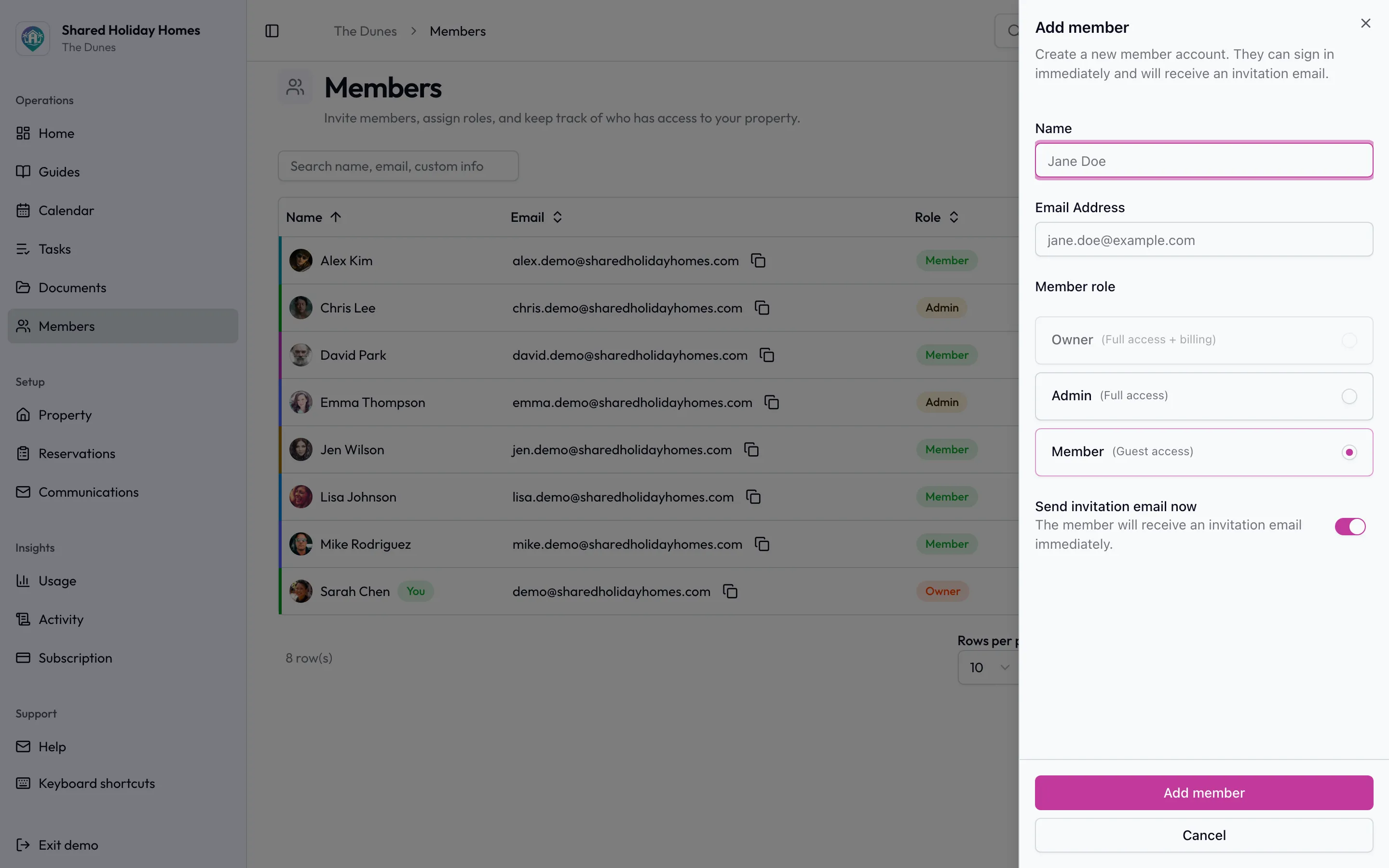
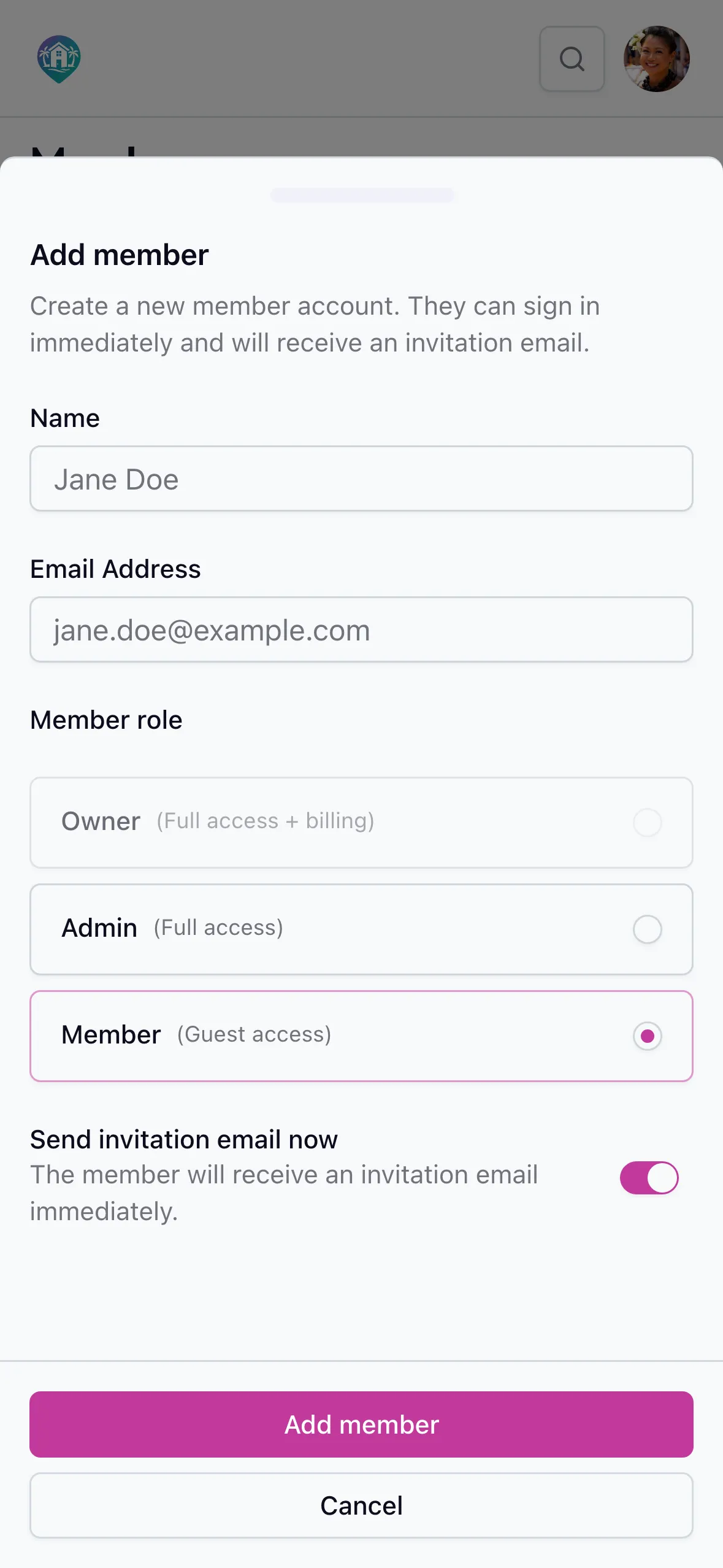
Operational access comes after the formal work: invite the newcomer once they can be given the current calendar, rules, and documents.
Copy This Co-Owner Onboarding Checklist
Treat “complete” as a testable state. A link sent is not complete if it opens the wrong version; an access code shared is not complete if the old holder should have been removed; a calendar shown is not complete if the newcomer cannot explain the next booking round.
| Area | Give or explain | Completion test | Owner and timing |
|---|---|---|---|
| 1. Formal boundary | Written confirmation from the appropriate source that operational onboarding may begin | The group can name what has been completed and which formal questions remain outside this checklist | Existing authorised owner, trustee, representative, or adviser before any operational access |
| 2. People and contacts | Current members, operating roles, backups, preferred contact route, and urgent escalation route | The new owner knows whom to contact for bookings, bills, maintenance, information, and documents | Onboarding owner before the welcome call |
| 3. Rules and decisions | Current approved booking, guest, cleaning, cost, maintenance, communication, and decision rules | Each rule points to its current version, effective date, and valid change route | Rule or document owner in the first week |
| 4. Calendar and use | Confirmed stays, protected and blocked dates, booking window, peak allocation, cancellations, swaps, and first available round | The newcomer can run one ordinary, peak, cancellation, and maintenance-block scenario | Calendar owner before the first booking |
| 5. Costs and records | Approved cost categories, contribution method, due dates, expense evidence, reimbursement route, reserves, and open balances handled by the authorised people | The new owner knows what process applies without receiving unnecessary bank, tax, or personal data | Cost-record owner before the next due date |
| 6. Maintenance and tasks | Recurring schedule, current property condition, open tasks, approved work, urgent route, access needs, and named handovers | Every open item has a status, accountable owner, next action, due date, and safe source record | Maintenance owner before the first stay |
| 7. Property information | Verified arrival, departure, appliance, utility, local, provider, waste, emergency, and property-specific guidance | The newcomer can find the approved answer and report an outdated field | Information owner before the first stay |
| 8. Physical and digital access | Only the keys, codes, accounts, file permissions, and admin rights already authorised for the person's role | Access works, unnecessary access is absent, and any former holder's access has been reviewed | Access owner at the latest safe handover point |
| 9. Documents | Approved operating documents plus directions to restricted formal or professional records where appropriate | The newcomer can find the current version without using an email attachment as the source of truth | Document owner in the first week |
| 10. First booking | A guided booking, pre-arrival check, changeover standard, issue route, and departure handover | One fictional scenario is tested before a live stay is entered | Calendar and changeover owners before the first live booking |
| 11. Open questions | A short list of unresolved decisions, missing sources, disputed facts, and professional questions | No uncertainty is presented as an approved rule; every question has an owner and next date | Decision-log owner throughout onboarding |
| 12. Thirty-day review | A check of understanding, access, workload, first use, missing information, and corrective actions | Corrections are assigned without silently rewriting current rules or formal records | Onboarding owner, new owner, and relevant role owners after a meaningful cycle |
Copy the four columns into the group's chosen system. Add a status such as not started, ready to share, received, tested, blocked, or not applicable. Avoid a single checkbox labelled “onboarded”; it hides which part failed.
Start Only After the Formal Change Is Ready
Operational onboarding answers, “How does this home work today?” It does not answer, “Who owns what?” or “What rights did the transfer create?” After document access is staged, use the document access review checklist to verify that intended and actual audiences match without treating an app role as evidence of underlying rights.
Before sending broad access, ask the existing authorised person to record:
- the source that permits onboarding to begin;
- the person's operational role for now;
- any formal work still in progress;
- who can answer questions about title, trust, estate, tax, lending, insurance, valuation, identity, or beneficial ownership; and
- any temporary restriction that must remain until that work is complete.
If the source and authority are unclear, pause the affected step. Do not solve uncertainty by calling someone an “owner” in the calendar, putting their name on an expense sheet, or granting administrator access. Those labels may be useful after approval, but they are not evidence of the underlying position.
This boundary applies whether the newcomer is a family member, sibling, friend, successor, buyer, trustee, entity representative, or another approved participant. The right formal route varies with the property, documents, people, and jurisdiction.
Name One Onboarding Owner and One Backup
Do not make the newcomer ask every co-owner for a different piece of the house. Give one person responsibility for assembling the pack, booking the walkthroughs, recording gaps, and closing the 30-day review. Name a backup who can continue if the onboarding owner is unavailable.
This is a coordination role, not extra authority. The onboarding owner must use the current sources maintained by the people already accountable for bookings, costs, maintenance, information, and documents. The roles and responsibilities chart helps identify those owners and their backups.
A simple handover sequence is:
- Prepare: collect current links, dates, roles, open work, and access decisions.
- Verify: ask each source owner to confirm what is current and what is restricted.
- Walk through: explain the operating snapshot in one bounded session.
- Test: run scenarios and access checks without creating a live booking or changing approved data unnecessarily.
- Close: record blockers, owners, dates, and the 30-day review.
Give a One-Page Operating Snapshot
The first page should orient the new co-owner without forcing them through every historical message. Include:
- the property's approved name and the location label the group uses;
- current co-owners or authorised participants and their operating roles;
- the source of truth for bookings, tasks, property information, and documents;
- the normal group contact route and a separate urgent property route;
- the next important booking, contribution, maintenance, document, and review dates;
- known open work or temporary restrictions; and
- links to current policies rather than copied policy text.
Keep the snapshot short and point outward. The co-owned vacation home management guide explains the wider operating system. Booking details belong in the calendar, work history in the maintenance log, current files in the document register, final operating decisions in the decision log, and tasks in the task system. The snapshot is a map, not another competing record.
Explain Current Rules Without Reopening Them All
The new co-owner needs a usable summary of current rules and a clear change process. They do not need an improvised vote on every rule during the welcome call.
For each important policy, show:
- the current title and effective date;
- where the approved version lives;
- the decision or formal source behind it;
- the person who maintains it;
- what should trigger a review; and
- how a question or proposed change enters the group's valid process.
Ask the newcomer to confirm receipt and raise questions. “Acknowledged” should mean received and explained, not “waived rights,” “agreed that the document is legally valid,” or “approved every past decision.” Whether a signature, consent, amendment, disclosure, or professional review is required is a separate formal question.
If the group needs a practical discussion draft covering bookings, guests, cleaning, maintenance, costs, access, and communication, use the free shared holiday home rules generator. Compare the draft with the current approved sources; never let a generated draft silently replace them.
Walk Through the Booking Calendar Before the First Stay
A login is not a booking explanation. Show the new owner how the current vacation home booking rules apply to four scenarios:
- an ordinary date inside the normal booking window;
- a peak date with competing demand;
- a late cancellation or proposed swap; and
- a maintenance block affecting a planned stay.
Point out confirmed bookings, protected dates, outstanding requests, maintenance access, maximum active bookings, approval steps, cancellation treatment, and the next allocation round. Explain whether the person's first opportunity begins immediately, at a future round, or under a transition already approved by the group. Do not invent retrospective entitlement to dates that were allocated before they joined.
The free usage rotation planner can test a future allocation without changing the live calendar. Use household labels rather than personal details when a scenario does not need them.
Hand Over the Cost Process, Not Other People's Private Data
The new co-owner should understand what the group currently treats as fixed ownership costs, shared access costs, stay-related costs, owner-specific costs, reserves, and urgent work. The shared vacation home expense guide explains those categories and the difference between a cost record and permission to spend.
Provide only what the person is authorised to receive:
- contribution method and due dates;
- approved expense categories and evidence requirements;
- reimbursement and approval routes;
- current reserve purpose and drawdown process;
- named record owner and backup;
- treatment of open balances through the appropriate private route; and
- the next budget or contribution review date.
Do not paste bank credentials, card details, tax identifiers, another owner's personal affordability information, adviser communications, or private arrears into the onboarding pack. If an individual amount or tax treatment depends on formal documents or professional advice, identify the question and the qualified person responsible for it.
Use the free cost split calculator to compare allocation methods with fictional household labels. It is a scenario tool, not an accounting, tax, or ownership record.
Transfer Maintenance Context and Open Work
Before the first stay, show the newcomer the home's current operating condition. Separate five things:
- recurring tasks that are due on a schedule;
- observations that still need assessment;
- approved work waiting for access or completion;
- completed work with a durable record and next date; and
- urgent restrictions already issued through an authorised route.
Use the vacation home maintenance checklist for recurring property-specific work and the maintenance log template for the observation-to-completion history. The free maintenance schedule can draft recurring tasks from the property's own manuals, professional guidance, and local requirements.
Do not ask the new owner to certify old work, accept hidden defects, diagnose safety-critical systems, or take over every overdue task as the price of joining. Show what is known, what source supports it, what remains uncertain, and who owns the next action.
Apply Access and Permissions Deliberately
Build access from the person's approved role rather than copying another member's account. Review each layer separately:
- property keys, gates, locks, storage, vehicles, equipment, and restricted spaces;
- alarm, Wi-Fi, utility, appliance, and smart-home access;
- calendar, task, guide, and document visibility;
- ordinary member versus administrator permissions;
- supplier or contractor portals; and
- private formal, financial, identity, insurance, or professional records.
For each layer, record who authorised it, when it should begin, how it is tested, and what event ends or reviews it. Avoid sending security information through a broad group message. Do not duplicate passwords or codes inside the checklist.
An ownership change should also trigger a review of former access. That does not mean deleting historical records or removing someone without authority. It means assigning the correct person to confirm which keys, accounts, permissions, forwarding rules, and shared links remain appropriate.
The shared holiday home key and access register template turns that review into a testable handover without putting passwords, codes, alarm details, or spare-key locations in the onboarding pack. Link each approved method to its audience, holder or administrator, restricted source, test, return or revocation state, and named follow-up.
Prepare the First Booking and Handover
Use one fictional booking before the new owner enters a real stay. Ask them to:
- find an available ordinary period;
- identify any relevant booking constraint;
- explain who receives or approves the request;
- find the current arrival and property information;
- identify an open maintenance item that might affect the stay;
- locate the changeover standard and issue route; and
- explain how they would cancel, change, or hand over the stay.
Correct the system if the newcomer cannot find an answer. Do not treat confusion as a personal failure when the source has an ambiguous title, the link is broken, two policy versions disagree, or the calendar does not show a known restriction.
Before the live stay, confirm only the property information they need. A guest-facing welcome book, an owner operating guide, restricted security details, and a formal document set are different access classes.
Run a 30-Day Onboarding Review
Schedule the review when the person has completed at least one meaningful cycle: a booking scenario, a cost due date, a task handover, a document lookup, or a live stay. Thirty days is a practical label, not a universal deadline; choose another stated interval if the home's operating cycle is longer.
Ask:
- Can the new owner find the current booking rules and next allocation date?
- Can they explain the expense route without seeing data they do not need?
- Can they find assigned maintenance work, current property information, and approved documents?
- Which access failed, arrived too early, or is broader than necessary?
- Which rule, role, document, task, or property fact was unclear or outdated?
- Did onboarding expose an unresolved formal question that needs an authorised source or qualified adviser?
- What must be corrected, by whom, and by what date?
Record corrections in their proper systems. Do not rewrite history in the onboarding checklist or let a welcome-call note become a new rule.
Worked Example: A New Owner Joins an Existing Group
Four siblings already share a lakeside home. After the applicable estate and ownership work is completed, Morgan becomes an approved co-owner. Riley is the onboarding owner and Casey is the backup.
Riley prepares a one-page snapshot and current links. The calendar shows two confirmed summer stays, one roof-inspection block, and the date of the next ordinary booking round. The cost pack explains the existing equal split for shared operating costs, a separate usage route for stay-specific supplies, and the next contribution date; it does not include anyone else's bank information.
The maintenance log records the roof inspection as approved but not complete. Morgan is shown the task and access window but is not asked to approve the scope or interpret the report. The document register points to the current insurance schedule and house rules, while restricted estate material remains outside the ordinary member folder.
Before a live booking, Morgan runs an autumn-weekend scenario, finds the arrival guide, and explains the changeover route. At the review, the group discovers that an old appliance guide is still linked from the welcome page. Riley assigns its source owner to replace the link. The onboarding record closes when the correction is tested; it does not pretend the old guide was never there.
FAQ
What should a new holiday home co-owner receive before their first booking?
Give them the current people and roles, operating rules, calendar position, cost process, maintenance state, property information, approved documents, access permissions, open work, first-stay handover, and review date. Each item should point to a source owner and current location.
Should a new co-owner sign the existing house rules?
There is no universal answer. Operationally, record that the current rules were received and explained. Whether a signature, consent, amendment, disclosure, or professional review is required depends on the applicable documents, authority, and law. Do not describe simple acknowledgement as legal approval.
When should the group send the software invitation?
Send it after the appropriate person confirms that operational access may begin and the group has chosen the correct member or administrator role. Test ordinary access before granting broader permissions. A software invitation does not transfer ownership or formal authority.
Should every co-owner be an administrator?
Not automatically. Administrator access should follow the group's approved operating roles and the work a person needs to perform. Review booking, task, property-information, document, and account permissions separately rather than using one broad label as a shortcut.
What if the new owner is a trustee or entity representative?
Use the same operating checklist only after the applicable trust, entity, ownership, and professional requirements are confirmed. Record the person's authorised operating role without treating the checklist as evidence of trustee, director, member, beneficiary, or ownership powers.
Is this checklist for commercial fractional ownership or timeshares?
No. It is for an established private family, friend, sibling, trustee, or small group adding an approved participant to a holiday home they already share or jointly own. A commercial fractional provider or timeshare may have mandatory contracts, portals, managers, transfers, fees, training, and access rules of its own.
Make the First Month Easier to Navigate
The goal is not to send more files. It is to give the new co-owner a trustworthy map of how the home currently works, the access their role requires, the open questions that remain unresolved, and the people responsible for each next step.
Shared Holiday Homes is coordination software for private groups already sharing a holiday home. An administrator can add a member, choose member or administrator access, and keep shared bookings, assigned tasks, property guides, and house documents in one workspace. House documents can be visible to members or limited to administrators. The software does not transfer property, create legal rights, validate documents, or act as a trustee, adviser, lender, insurer, marketplace, or property manager.
After the formal ownership work is complete and the group is ready to coordinate the practical handover, start a free trial and use this checklist to stage access deliberately.


